3CX call forwarding: send your calls to Gala
In 3CX, forwarding is set by status in the web client. Each status has its own rules.
3CX is a business phone system. Forwarding follows your status: Available, Away, Do Not Disturb and so on.
Before you start
- Have the Gala number shown in your setup at hand. That is the number your calls will go to.
- Choose: all calls, or only the calls nobody answers. The main guide explains the difference.
- Keep the cancel code. It puts your line back the way it was in seconds.
Set forwarding to Gala
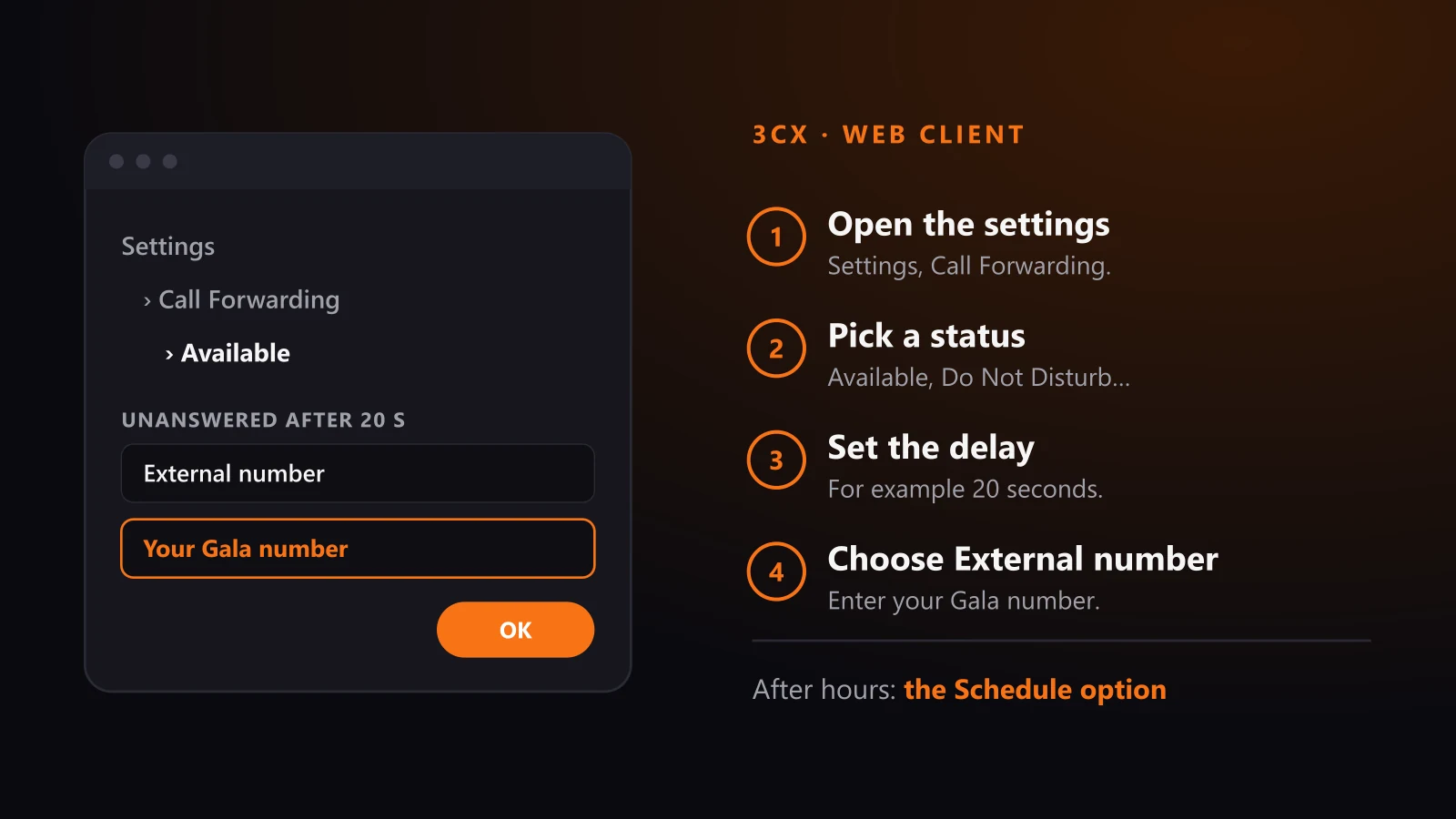
- Open the settings In the web client, click Settings, then Call Forwarding.
- Pick a status For example Available for business hours, or Do Not Disturb for evenings.
- Set unanswered calls Choose after how many seconds a call counts as unanswered, for example 20 seconds.
- Choose External number Enter your Gala number as the destination.
Busy or not registered
The same destinations are available when your extension is busy or not registered. Choose External number and your Gala number.
The Schedule option can switch your status to Do Not Disturb outside office hours. That status's rules then forward to Gala.
Your main business number
These settings apply to one extension. If your main number rings a queue or ring group, ask whoever manages your 3CX to route it to Gala.
Test the forward
- Call your number Use a different phone, such as a personal cell.
- Listen for the answer Gala should answer with your business greeting.
- Check the summary The test call should show up in your Gala dashboard.
Sources
Every code and fee on this page comes from 3CX's own support pages, read on October 23, 2026. Providers do change their codes: if in doubt, their page is the reference.
Frequently asked questions
How do I forward 3CX calls to an external number?
In the web client, open Settings, then Call Forwarding. Pick a status, then External number as the destination for unanswered calls.
Can I forward only after hours?
Yes. The Schedule option switches your status to Do Not Disturb outside office hours. Set that status to forward to Gala.
Does 3CX charge for forwarding?
The 3CX manual does not say. A call forwarded to an external number goes through your line provider, which may bill it.
Your number stays the same. Hear Gala answer before you forward anything. Hear Gala answer · See pricing
Related
- Forwarding your line to Gala: the guide
- Bell call forwarding
- Vidéotron call forwarding
- TELUS call forwarding
- Rogers call forwarding
- Cogeco call forwarding
- VoIP.ms call forwarding
- RingCentral call forwarding
- Microsoft Teams call forwarding
- Ooma Office call forwarding
- How Gala works
AI Receptionist · AI Admin Assistant · Pricing · How it works · Call Gala · Industries · Use cases · FAQ · Blog · About · Contact
Contact: contact@gavion.ai · +1 (514) 534-1298 · +1 (855) 505-0607 (toll-free) · Québec, Canada · Service across Canada in English and French.